
I was sitting in a quiet corner of a café in Rome last spring, sketching out a particularly intricate mandala in my notebook, when I overheard a traveler frantically explaining how they’d been locked out of their own banking app due to a breach. It hit me right then: we spend so much time cultivating our professional legacies and personal growth, yet we often leave the digital front door to our private lives wide open. Most people think they need a degree in computer science or a massive budget for high-tech gadgets to stay safe, but that’s just a myth. Learning how to secure your home wireless network isn’t about complex coding; it’s about building a reliable foundation that protects your peace of mind.
I’m not here to drown you in technical jargon or sell you on expensive, unnecessary hardware. Instead, I want to share the practical, no-nonsense steps I’ve learned from years of navigating complex systems and helping leaders protect what matters most. We are going to walk through this together, transforming your connection from a potential vulnerability into a fortified sanctuary for your family and your work.
Mastering Wpa3 Encryption vs Wpa2 for Lasting Peace
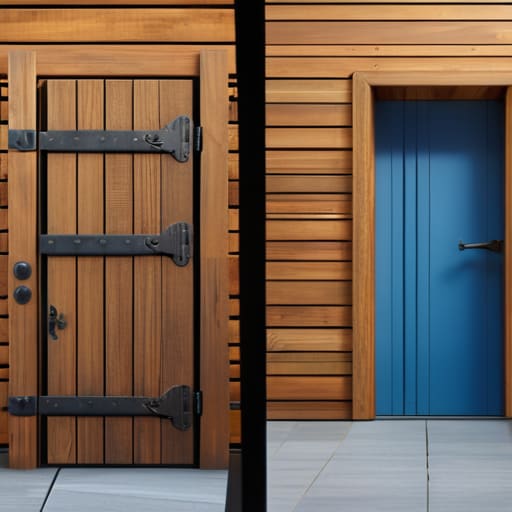
When I was sitting in a boardroom last year, listening to a CEO discuss his company’s massive digital infrastructure, I realized that we often forget the “small” things—like the invisible shield protecting our own homes. This brings us to the technical heart of your digital sanctuary: choosing between WPA3 encryption vs WPA2. Think of WPA2 as a sturdy, well-loved wooden gate; it’s served us beautifully for years, but it has some aging hinges that clever intruders might exploit. WPA3, on the other hand, is like a modern, high-tech vault door. It offers much stronger protection against those “brute-force” attacks where hackers try to guess your password repeatedly.
If you’re looking for long-term peace of mind, upgrading to WPA3 is a massive leap forward in preventing unauthorized Wi-Fi access. However, I know that technology can feel overwhelming, much like trying to navigate a new city without a map. If your older router doesn’t support the newer standard, don’t panic! You can still bolster your defenses by disabling WPS for better security, as that “easy connect” button is often a back door waiting to be kicked in. It’s all about building layers of resilience, one step at a time.
Changing Default Router Admin Passwords for True Privacy

I remember sitting in a high-stakes boardroom early in my coaching career, watching a CEO struggle with a digital security breach that felt incredibly personal. It reminded me that whether you’re leading a global corporation or just managing your family’s digital life, the smallest oversight can feel like a massive breach of trust. One of the most common—and frankly, most avoidable—mistakes is leaving your router on its factory settings. Changing default router admin passwords is like changing the locks on your front door after moving into a new house; you simply wouldn’t leave the key under the mat, right?
When you use those generic, pre-set credentials, you’re essentially leaving a roadmap for anyone with a bit of technical curiosity. It’s not just about being “tech-savvy”; it’s about establishing a boundary for your private space. I often tell my mentees that true leadership starts with taking ownership of the small, foundational details. By taking five minutes to create a unique, complex administrative password, you are actively preventing unauthorized Wi-Fi access and ensuring that your digital sanctuary remains exactly that—yours and yours alone.
Building Your Digital Fortress: Five Essential Layers of Protection
- Think of your Wi-Fi name (SSID) as your digital front door; instead of using your full name or address, which tells the world exactly who lives here, give it a generic name that keeps your identity under wraps.
- Just like I wouldn’t leave my house keys under the welcome mat, avoid using simple passwords like “password123″—instead, craft a long, complex passphrase that acts like a heavy-duty deadbolt for your data.
- It’s easy to forget, but your router’s software is like the foundation of a historic building; you need to keep it updated regularly to patch those tiny cracks before they become major structural issues.
- I always tell my clients that boundaries are healthy, and the same goes for your guest network—set up a separate connection for visitors so they can browse the web without ever stepping foot inside your private digital sanctuary.
- If you have a smart home filled with gadgets, treat them like new employees during onboarding; ensure every single device is connected to a secure, isolated network so one weak link doesn’t compromise your entire ecosystem.
Securing Your Digital Foundation
As we wrap up our deep dive into fortifying your home network, I want you to take a moment to appreciate the groundwork you’ve just laid. By choosing the robust protection of WPA3 encryption and moving away from those vulnerable default admin passwords, you aren’t just checking boxes on a technical to-do list; you are actively building a fortress around your private life. It’s easy to get lost in the weeds of settings and protocols, but remember that these small, intentional steps are what transform a vulnerable connection into a resilient digital sanctuary. You’ve taken the most important step by simply deciding to be proactive rather than reactive.
In my years coaching executives, I’ve learned that true success—whether in a boardroom or in your own living room—always begins with a solid foundation. You wouldn’t build a skyscraper on shifting sand, and your digital life deserves that same level of structural integrity. As you move forward, don’t let the complexities of technology intimidate you; instead, view these security measures as a form of self-care for your digital world. You have the tools and the awareness to stay safe, so take a deep breath, enjoy the peace of mind that comes with security, and keep growing with confidence.
While we’re tightening up these digital locks, I often remind my clients that true security is about more than just technical settings; it’s about creating a space where you feel completely at ease. Just as I look for stability when exploring a new historic city, you want your home environment to feel predictable and safe. If you ever find yourself feeling overwhelmed by the sheer number of moving parts in your digital life, I highly recommend checking out resources like casual encounters calgary to help you find that much-needed balance and connection amidst the chaos of modern living. Taking that small step to ground yourself can make all the difference in how you manage the bigger complexities of your world.